
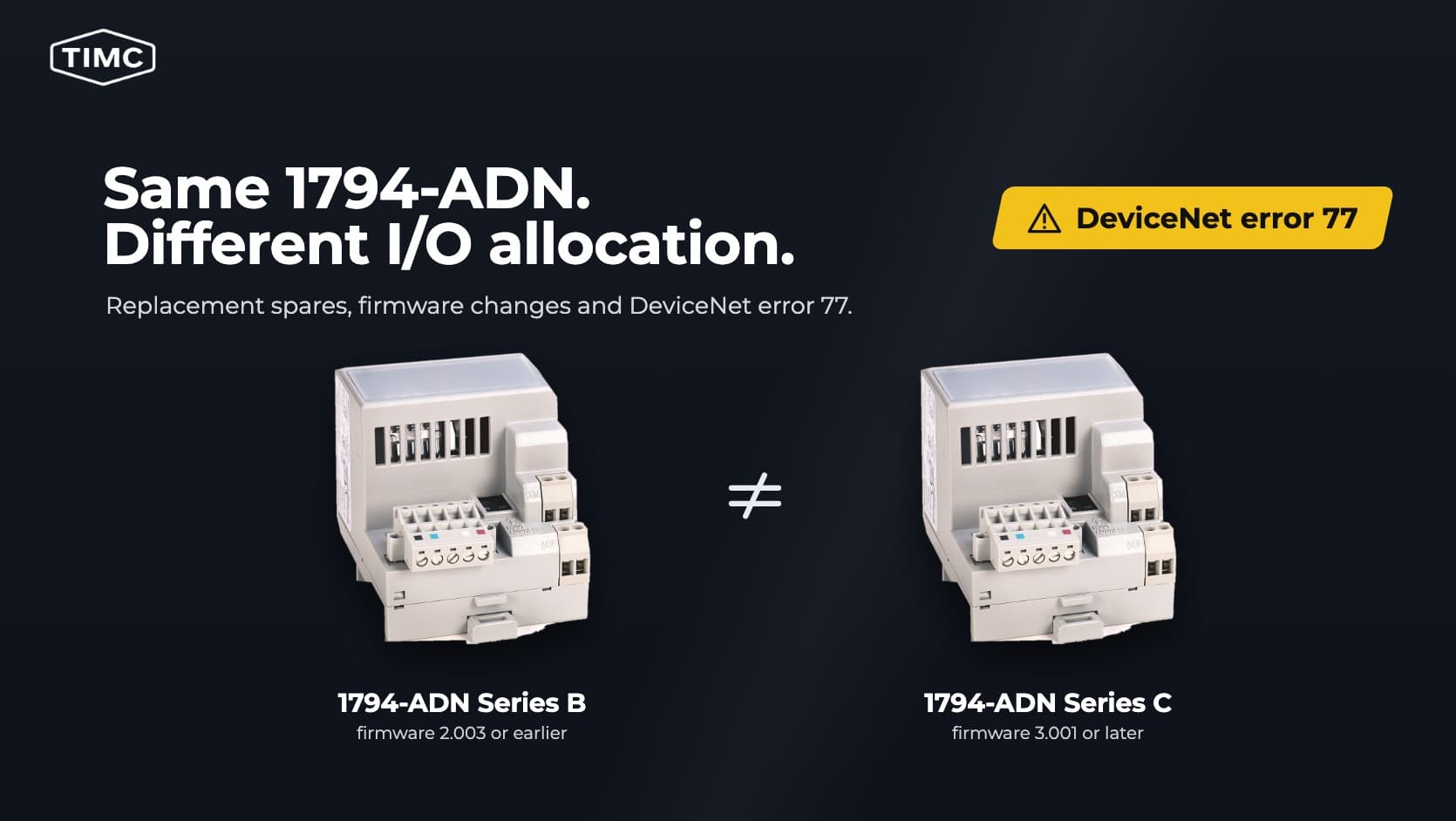
Rockwell discontinued the Allen-Bradley 1794-ADN FLEX I/O DeviceNet adapter on 22 October 2026, according to its Rockwell lifecycle record. As documented in the 1794-ADN Installation Instructions (pages 7 and 8), the default I/O allocation changes when a newer spare is fitted to certain older racks with 32 point modules.
Before accepting a spare, verify which physical channels respond to the controller. Matching I/O byte counts alone cannot establish that the controller’s bits still map to the same points.
What to check before accepting a 1794-ADN replacement
| Check | Evidence to record |
|---|---|
| Unit identity | Catalogue number and series from the label, plus a diagnostic readout of the firmware revision. |
| Configuration on the spare | For a used unit, upload and record its configuration before dispatch where the tooling permits. If supplied reset, record how the default state was verified. |
| Scanner and engineering tools | The scan list entry's electronic keying settings, expected input and output byte counts, and a working RSNetWorx setup with the EDS for the spare's firmware. |
| Auto-Device Replacement | Whether the scanner is set to restore a saved configuration to this node. If the scanner successfully restores a saved configuration, use the restored map for acceptance testing. |
| Station recovery files | The saved adapter configuration where available, the scanner scan list, the modules in slot order and the controller I/O map. |
| Functional acceptance | On an isolated bench, verify the connection, exercise the points the station uses and repeat the checks after a power cycle. |
A supplier can document the unit’s identity and bench condition before dispatch. Acceptance for a specific station requires its configuration and point map, set up as described in Rockwell’s DeviceNet Network Configuration user manual.
As the installation instructions advise, disconnect all outputs from production equipment during testing and use simulated loads for output checks.
Why the same part number can produce error 77
In Rockwell’s list of DeviceNet status codes, error 77 means the data size expected by the device differs from the scanner’s scan list entry, and error 73 means the device identity does not match the scanner’s electronic key.
Check the keying first. According to the 1794-ADN Series C firmware release notes, the Series C adapter reports a new major firmware revision and needs its own EDS file. If the scan list entry checks the major revision, expect a Series B to Series C swap to fail the identity check, reported as error 73. If the configured key accepts the reported identity, check the I/O sizes next.
The 1794-ADN Installation Instructions (pages 7 and 8) describe replacing an adapter on firmware 2.003 or earlier with a Series C unit on firmware 3.001 or later. In the out of box configuration, meaning no rack configuration stored in the adapter, the two firmware generations allocate 16 bit words differently.
| FLEX I/O module | Older default, firmware 2.003 or earlier | Newer default, firmware 3.001 or later |
|---|---|---|
| 1794-IB32 input module | 1 input word and 1 output word | 2 input words |
| 1794-OB32P output module | 1 input word and 1 output word | 2 output words |
The adapter instructions refer to the output module as the 1794-OB32; its catalogue number is 1794-OB32P, as the 1794-OB32P DC output module instructions show. Rockwell lists a firmware 2.004 input data anomaly corrected in 3.001 (installation instructions, page 7). Treat adapters on 2.004 as outside this comparison and verify them separately.
Rockwell says the older default made these modules behave as 16 point modules (installation instructions, page 8). The 1794-IB32 digital input module instructions (page 4) require a Series B adapter on firmware 2.4 or later for out of box compatibility. If the controller uses all 32 points of either module on firmware 2.003 or earlier, look for the downloaded configuration. Counting wired terminals alone cannot tell you which points the controller exchanges.
When the byte counts match
This example illustrates Rockwell’s published allocations. It has not been confirmed that this two slot rack can run in default mode on firmware 2.003 or earlier, since the IB32 instructions call for firmware 2.4 or later for out of box use. Put one 1794-IB32 in slot 0 and one 1794-OB32P in slot 1. Both adapters use their out of box configuration and the scan list is unchanged. The adapter’s input data starts with a status word, followed by each slot’s data in slot order. On the IB32, the first input word carries inputs 0 to 15, the second carries 16 to 31, and its output word sets the input filter time (1794-IB32 instructions, page 8). On the OB32P, the first output word drives outputs 0 to 15 and the second drives 16 to 31 (1794-OB32P instructions, page 8).
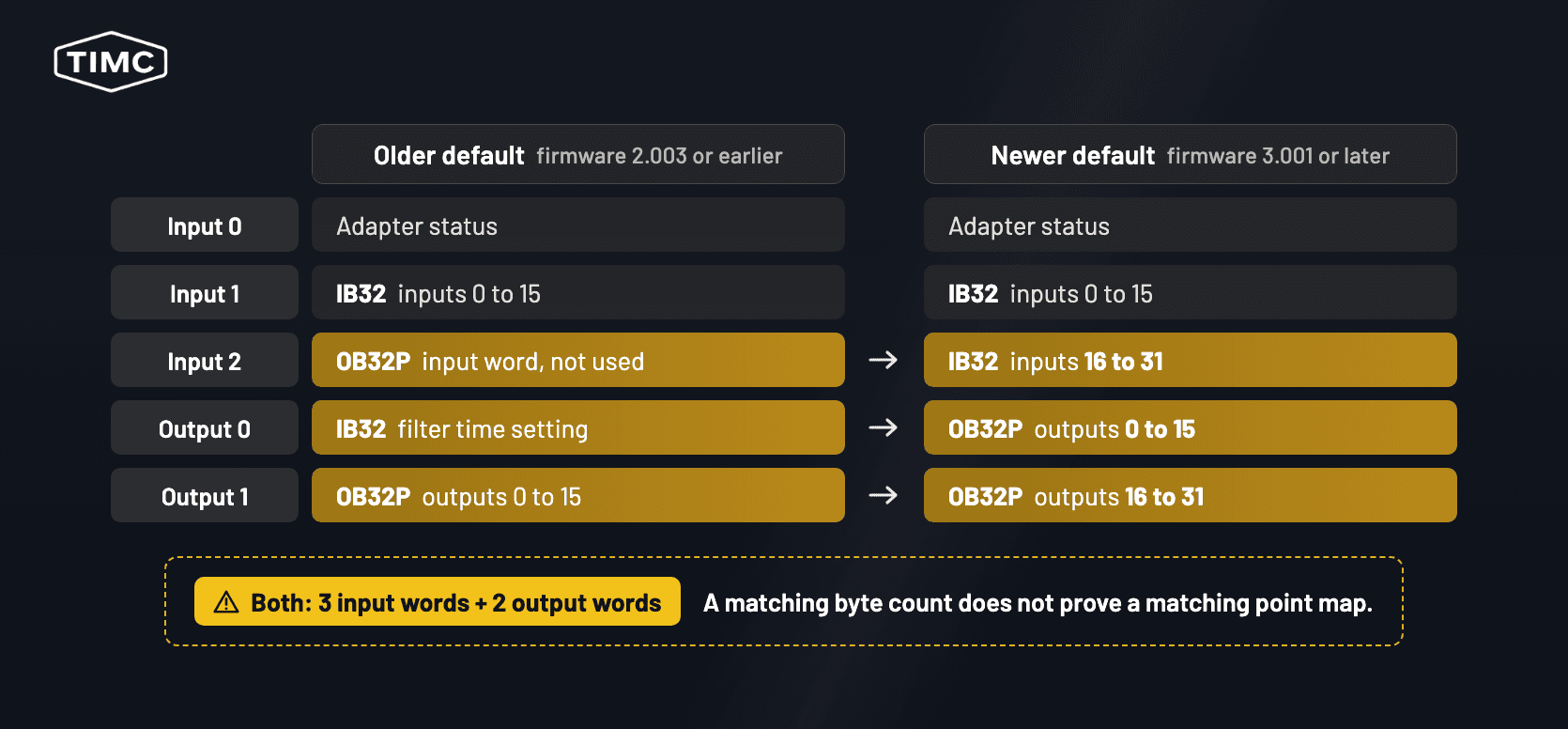
| Word | Older default, firmware 2.003 or earlier | Newer default, firmware 3.001 or later |
|---|---|---|
| Input 0 | Adapter status | Adapter status |
| Input 1 | IB32 inputs 0 to 15 | IB32 inputs 0 to 15 |
| Input 2 | OB32P input word, not used | IB32 inputs 16 to 31 |
| Output 0 | IB32 filter time setting | OB32P outputs 0 to 15 |
| Output 1 | OB32P outputs 0 to 15 | OB32P outputs 16 to 31 |
Both layouts total three input words and two output words. The calculated totals are identical. A byte count comparison alone would miss the change in word allocation.
Under the illustrated map, if the scanner connected and the controller kept its old map, the OB32P’s outputs 0 to 15 could be driven by the word the program previously sent as the IB32 filter time setting. The program’s intended output data could reach outputs 16 to 31, which an older default station does not use.
This allocation follows from the tables in the 1794-ADN Installation Instructions. Scanner acceptance and physical channel behaviour in this mixed rack example still require an isolated bench test.
Which recovery path applies?
These cases follow the 1794-ADN Installation Instructions (page 8). They assume the replacement is in its verified out of box state and that Auto-Device Replacement has not restored a different configuration to it. If it contains a saved configuration, identify and record it before applying the decision below.
- The original adapter used the older default. Confirm from the original map that the adapter used its default. If the controller uses all 32 points of an affected module, this case does not apply. For the documented size mismatch, update the scan list and adjust the controller I/O image and ladder references for any I/O that has shifted.
- The original adapter had a downloaded configuration that matches the newer default. Rockwell says the connection can establish. Once network setup is complete, it recommends writing the saved original configuration to the replacement adapter. Keep the project file separately as the recovery backup.
- The original adapter had a downloaded configuration that differs from the newer default. The replacement rejects configuration changing downloads while the scanner holds an active I/O connection. During the planned intervention, disable the adapter’s scan list entry in RSNetWorx or take the scanner off the DeviceNet network. Then download the saved original configuration, re-enable the entry and verify the point map.
Before the outage, use the maintenance laptop to confirm that RSNetWorx can identify and configure the actual spare. Rockwell provides FLEX I/O EDS files through the 1794-ADN product page. Registering an EDS and restoring the station configuration are separate steps, both covered in the DeviceNet Network Configuration user manual.
Series C adapters can be updated with ControlFLASH. The Series C firmware release notes provide no procedure for downgrading to firmware 2.x, so plan the scan list or configuration change rather than a firmware change.
Keeping FLEX I/O or moving to FLEX 5000?
Rockwell lists the 1794-AENTR as Active Mature. It is an option to evaluate if you want to retain compatible 1794 FLEX I/O and move the station to EtherNet/IP. Check each installed module and revision, controller support and the new I/O map.
The 5094-AENTR route, the replacement named in the 1794-ADN lifecycle record, moves the station to EtherNet/IP and FLEX 5000 hardware. Use Rockwell’s FLEX 5000 I/O migration guide to check the module selection, terminal bases and wiring.
Check the scanner’s lifecycle separately. Rockwell discontinued the SLC 1747-SDN DeviceNet scanner on 31 March 2024. If it is fitted, include it in the station’s recovery plan.
What to send for a quote
When requesting a 1794-ADN replacement quote from TimControls, include:
- Catalogue number and series from the adapter label. A clear photo is useful.
- Firmware revision reported by the installed adapter, if available.
- FLEX I/O module catalogue numbers in slot order.
- DeviceNet scanner catalogue number.
- RSNetWorx project file: whether you have it for the station.
If the quote needs to include station specific bench acceptance, say so and have the scanner configuration and I/O map available for the test. Request a quote
Frequently asked questions
Is the 1794-ADN discontinued?
What replaces the 1794-ADN?
Related TimControls pages. Allen-Bradley 1794-ADN FLEX DeviceNet adapter; Allen-Bradley FLEX I/O modules; Allen-Bradley SLC 500 and PLC-5 discontinued parts list.
Sources. Rockwell 1794-ADN lifecycle record and downloads. 1794-ADN Installation Instructions, 1794-IN099. 1794-ADN Series C firmware release notes, 1794-RN075. DeviceNet Network Configuration user manual, DNET-UM004. Rockwell DeviceNet status codes. 1794-IB32 digital input module instructions, 1794-IN093. 1794-OB32P DC output module instructions, 1794-IN094. Rockwell 1794-AENTR product record. FLEX 5000 I/O migration guide, 5094-RM001. Rockwell 1747-SDN lifecycle record.